.png)
 7 months ago
Nano Banana comes to Photos, plus more users can access Ask Photos. Get all the details on these updates and more below.
Yael Marzan
Senior Director of Product Management, Google Photos and Google One
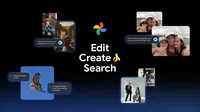
AI features in Google Photos already help you do more with your memories: Edit photos with a simple ask, get creative and reimagine images in new styles, search and ask complex questions and so much more.
And now, we’re improving our AI-powered tools and adding new ones — including multiple features powered by Gemini’s top-rated image editing model, Nano Banana. Check out these six new ways you can use AI to edit, create and search in Google Photos.
Edit your photos in more ways just by asking
1. Ask to remove sunglasses, fix a smile and more with personalized edits
Have you ever captured a moment, only to find a minor flaw like forgotten sunglasses, a friend's closed eyes or a missed smile? You can fix these by simply opening the photo, selecting “Help me edit” and typing “Remove Riley's sunglasses, open my eyes, make Engel smile and open her eyes.” Photos uses images from your private face groups to generate personalized, accurate edits of people in your photo library.
2. Edit your photos by simply asking — now expanding to iOS
Forget switching between tools and adjusting sliders. Starting to roll out on iOS 1 in the U.S., you can simply describe the edits you want using your voice or text and watch Google Photos bring your vision to life. We’re also bringing the redesigned photo editor to iOS, so you can edit via simple gestures, one-tap suggestions and now, natural language.
Transform your images in amazing new ways with Nano Banana
3. Restyle your images in more ways in Photo’s editor
It’s inspiring to see all the creative ways you’re using Nano Banana. We also told you to keep your eyes peeled for Nano Banana coming to Google Photos — now the wait is over!
With Nano Banana in Photos’ editor, you can now make all kinds of new transformations to your images. Just open the photo, tap “Help me edit” in the editor and describe the new style you want to see. For example, you could ask Photos to paint you as a Renaissance portrait, restyle an image as a mosaic made of colorful tiles or to turn your photo into a page from a children’s storybook.
4. Reimagine your photos with AI templates
Coming up with your own prompt can be daunting when you're trying to create or edit an image using generative AI. To help, we’re adding a new Create with AI 2 section featuring ready-made AI templates to the Create tab on Android in the U.S. and India starting this week. These new templates are powered by Nano Banana and will help you create images instantly based on popular edits, like “put me in a high fashion photoshoot,” “create a professional headshot” or “put me in a winter holiday card.”
Sequences shortened and simulated.
In the coming weeks, we’ll also roll out our first personalized templates 3 in the U.S., which use insights about you from your photo gallery to create edits unique to your hobbies and experiences, like “create a name doodle personalized to me” or “create a cartoon of me and my hobbies.”
Sequences shortened and simulated.
Search across your library and within a photo with Ask Photos
5. Use Ask Photos in more than 100 countries and 17 new languages
Ask Photos is a powerful tool that helps you more easily find specific photos and search your gallery for information in a natural way. Simply say what you’re looking for and Google Photos will surface the most relevant photos and information. Starting this week, Ask Photos 4 will be rolling out to more than 100 new countries and regions, and 17 new languages, making this intuitive way to search in Google Photos available to more people around the world.

6. Dive deeper into a photo with the new “Ask” button
While Ask Photos helps you find photos and information in your library, the new “Ask" button 5 helps you do more with an image. While viewing your image, you can start a conversation to instantly get answers about its content, discover related moments or simply describe the edits you want and watch the changes appear in seconds. Just tap “Ask” while viewing an image and start typing or use one of the suggestion chips to get started.
Sequences shortened and simulated.
Many of these features are rolling out now, so go ahead and explore all the new ways AI can help you do even more with your memories in Google Photos.






 English (United States) ·
  French (France) ·