.png)
 1 year ago
🎙️ Daily Podcast (FR) : NViNiO•Podcast™
ADs | ✨ Enhance your Social Media content with NViNiO•AI™ for FREE
New features in the Gemini app provide you with an even better personalized experience.
Michael Siliski
Senior Director, Product Management, Gemini app
General summary
The Gemini app is getting more personalized. Now Gemini can learn from past chats to give you better responses. Also, a new Temporary Chat feature lets you have conversations that won't be saved or used for personalization. Plus, you have more control over your data with updated settings.
Summaries were generated by Google AI. Generative AI is experimental.

Today, we’re updating the Gemini app so it becomes an even more personal, proactive and powerful assistant, while also providing you more control over your data.
The Gemini app can now reference your past chats to learn your preferences, delivering more personalized responses the more you use it. We’re also introducing a new privacy feature called Temporary Chats, and new settings that give you more control over your data. With these updates, you can create the experience that’s right for you and make the privacy choices that fit your needs.
Use past chats to get more personalized responses
At I/O, we introduced our vision for the Gemini app: to create an AI assistant that learns and truly understands you — not one that just responds to your prompt in the same way that it would anyone else’s prompt.
Today, we’re introducing a new setting that allows Gemini to learn from your past conversations over time. When this setting is on, Gemini remembers key details and preferences you've shared, leading to more natural and relevant conversations, as if you're collaborating with a partner who's already up to speed.
Here's how personal context can bring a conversation to life:
You've previously discussed the evolution of characters’ powers in your favorite comic book. Now, if you ask Gemini to “brainstorm a birthday party theme that's unique to me,” it might suggest a celebration based on your favorite character, complete with themed food and a custom photo booth with props.You've previously asked Gemini for summaries of some of the latest non-fiction recommended from BookTok. When you ask Gemini to recommend a book you’d like, Gemini may suggest books with similar themes to those you’ve discussed before and even provide popular quotes for your social posts.You've previously used Gemini to brainstorm ideas for a YouTube channel focused on Japanese culture. When you ask for “new content ideas based on my interests,” Gemini may suggest a video theme like "My First Time Trying..." where you film yourself trying a new Japanese food, a traditional craft (like origami or a tea ceremony) or even a new game from Japan.We’re rolling out this feature over the coming weeks, starting today. At first, personalized conversations will be available when using our 2.5 Pro model 1 in select countries and we plan to expand the feature to our 2.5 Flash model and more countries in the weeks ahead.
This setting is on by default to help Gemini give you more relevant responses, but you remain in control and can turn this setting on or off at any time. To do so, simply head to your Settings in the Gemini app and select “Personal context,” then ”Your past chats with Gemini.” As before, you can manage and delete your conversations in Gemini Apps Activity.

Have quick, one-off chats with Temporary Chat
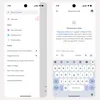
There may be times when you want to have a quick conversation with the Gemini app without it influencing future chats. For example, you might be exploring private questions or simply brainstorming an idea that's outside your usual style. For these moments, we're also introducing a new feature called Temporary Chat, which starts rolling out today and will expand to all users over the coming weeks.
Temporary Chats won’t appear in your recent chats or Gemini Apps Activity, and they won’t be used to personalize your Gemini experience or train Google’s AI models. They are kept for up to 72 hours to respond to you and to process any feedback you choose to provide.
Control your data with new settings
We are continuously improving our models, products and services to make the Gemini app the most personal, proactive and powerful assistant. As part of this ongoing work, we’re updating how we handle the content you upload to Gemini, including files and photos. In the coming weeks, your "Gemini Apps Activity" setting will be renamed "Keep Activity." When this setting is on, a sample of your future uploads will be used to help improve Google services for everyone. 2 If you prefer not to have your data used this way, you can turn this setting off or use Temporary Chats. If your Gemini Apps Activity setting is currently off, your Keep Activity setting will remain off, and you can turn it on anytime.
Earlier this month, we also introduced a control that lets you choose whether the audio, video and screens you share with Gemini through the mic button or Gemini Live are used to improve Google services for everyone. This setting is off by default, but you can turn it on anytime. Learn more about this setting in the Gemini Apps Privacy Hub.

Because we know trust is earned through transparency and control, we believe it’s important to provide you with the tools to manage your data. You can adjust these settings whenever you like and learn more about how Google handles your data in our Gemini Apps Privacy Hub.
Done. Just one step more.
Check your inbox to confirm your subscription.
You are already subscribed to our newsletter.
You can also subscribe with a







 English (United States) ·
  French (France) ·